Inspect an AI payload: JSON, Base64, images, and audio
Trace a multimodal request from nested fields to decoded bytes and safe local media previews.
Separate transport from content
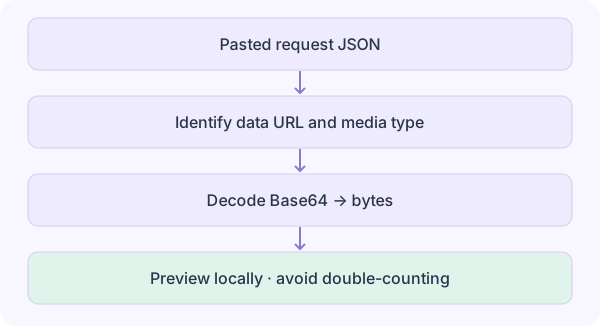
JSON is the request structure. Base64 is a way to represent binary data as text, not encryption or compression. A Data URL adds a media type and prefix, such as data:image/png;base64, before the encoded bytes.
For n binary bytes, padded Base64 uses 4 × ceil(n / 3) characters. A 3 MiB file becomes 4 MiB of Base64 before the JSON and prefix are added. This is request size, not the model’s media-token charge.
Study guide & lesson outline
LEARNING CONTRACTUnderstand → implement → investigate
Goal: explain the mechanism in this lesson, reproduce one example and test a failure case. Reading alone does not mark mastery.
- Understand: state assumptions, shapes/units and a counterexample.
- Implement: reproduce a numerical example and inspect boundaries.
- Investigate: compare one alternative under a matched budget.
Inspect a real working sample
Load the image + audio example. Expand the messages and content fields; compare their sizes, then find the image URL and input_audio.data. The example contains a generated PNG and a half-second WAV tone. Play it only when you choose.
The inspector decodes recognized fields, checks file signatures, and previews supported formats through local Blob URLs. The illustrative JSON below contains a placeholder, so use the built-in sample for valid media. Parent field sizes already include their children.
{
  "messages": [{
    "role": "user",
    "content": [
      {"type": "text", "text": "Describe this image."},
      {"type": "image_url", "image_url": {
        "url": "data:image/png;base64,<base64-data>"
      }}
    ]
  }]
}Debug mismatches safely
A declared MIME type can disagree with the bytes. A successful Base64 decode also does not prove the media file is valid. If playback fails, verify the file’s actual format and codec rather than repeatedly changing the declared type.
External URLs are not fetched automatically. HTML, SVG, and unknown files are not executed. Preview support depends on the browser; this tool is not an API schema validator. Confirm provider-specific field names and use the provider’s actual usage for billing.